New Cursor 3 ditches the classic IDE layout for an "agent-first" interface built around parallel AI fleets

Key Points
- Cursor released version 3 of their AI coding tool, featuring a completely rebuilt interface centered around AI agents that are designed to write most of the code, with developers able to run multiple agents simultaneously.
- Cursor 3 allows agent sessions to move seamlessly between cloud and local environments, and agents can be launched not only from the desktop app but also via mobile devices, web, Slack, GitHub, and Linear.
- The update also brings built-in Git functionality—including staging, committing, and pull request management—directly into the interface.
Version 3 of the AI coding tool Cursor introduces a completely redesigned interface built to move developers from manual code editing to running multiple AI agents in parallel.
The team behind Cursor has released version 3 of their AI-powered coding tool. The complete redesign is built entirely around working with AI agents that are meant to write most of the code. That puts Cursor in line with a broader trend that Anthropic's Claude Code and OpenAI's Codex are also chasing.
Cursor says software development is entering a "third age" where "entire fleets of agents work autonomously to deliver improvements." The problem, according to the company, is that developers are still micromanaging individual agents, jumping between conversations, terminals, and tools. Cursor 3 is meant to change that.
A new "agent-first" interface
For version 3, the team says it rebuilt the interface from scratch around agents. The new layout supports multiple workspaces at once, letting people and agents work across repo boundaries. The traditional IDE layout is still available as an option.
All running agents—whether local or in the cloud—appear in a unified sidebar. Agents can be launched from the desktop app, mobile devices, the web, Slack, GitHub, and Linear. Cloud agents automatically create demos and screenshots of their work so developers can verify the results, according to Cursor.
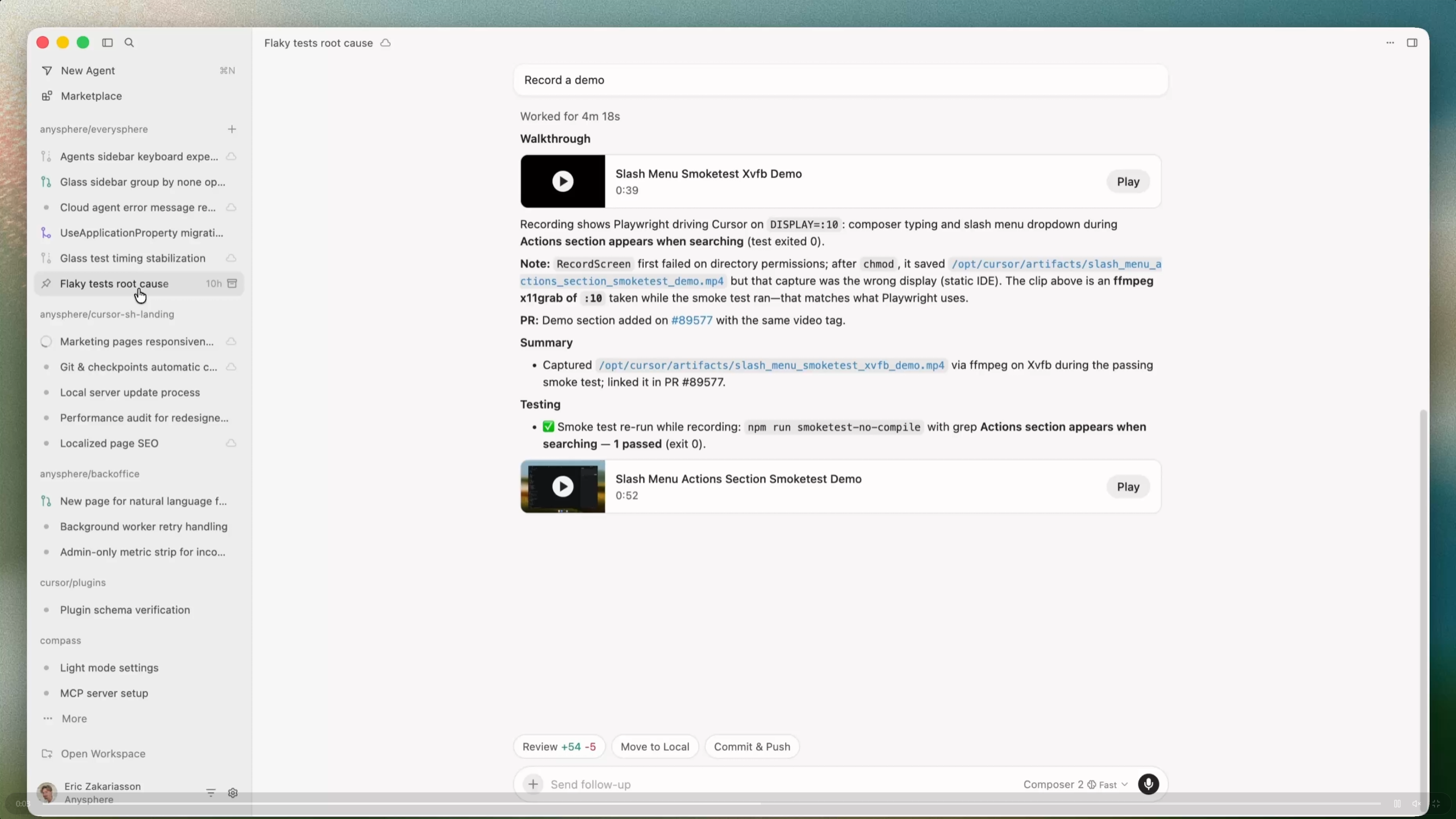
One of the key features in Cursor 3 is the ability to quickly move agent sessions between environments. Developers can drag a cloud session to their local machine to test changes themselves and iterate quickly with Composer 2, Cursor's own coding model with high usage limits. It works the other way around, too: local sessions can be pushed to the cloud so agents keep running even after the laptop is closed. The goal is to keep longer-running tasks from getting interrupted.
A new diff view makes it easier to review and edit changes. Staging, committing, and managing pull requests are built directly into the interface, so developers don't need to switch to a separate Git tool.
An integrated browser lets agents open local websites, navigate through them, and interact with them via prompt. There's also a plugin marketplace with hundreds of extensions, including MCPs, skills, and subagents.
Cursor 3 is available now through an update to the desktop app. The new agent interface can be activated with Cmd+Shift+P -> Agents Window. Full details are available in the documentation.
AI News Without the Hype – Curated by Humans
As a THE DECODER subscriber, you get ad-free reading, our weekly AI newsletter, the exclusive "AI Radar" Frontier Report 6× per year, access to comments, and our complete archive.
Subscribe now